
Thematic Map#
The thematic map is the raster layer for which you want to assess accuracy through the accuracy assessment protocol. It must be a layer with categorical values with byte or integer as data type with a specific pixel-value/color associated.

Color Table Requirements#
There are two types of pixel-value/color association accepted in AcATaMa (based on QGIS):
Singleband pseudocolor
Paletted/Unique values (recommended)
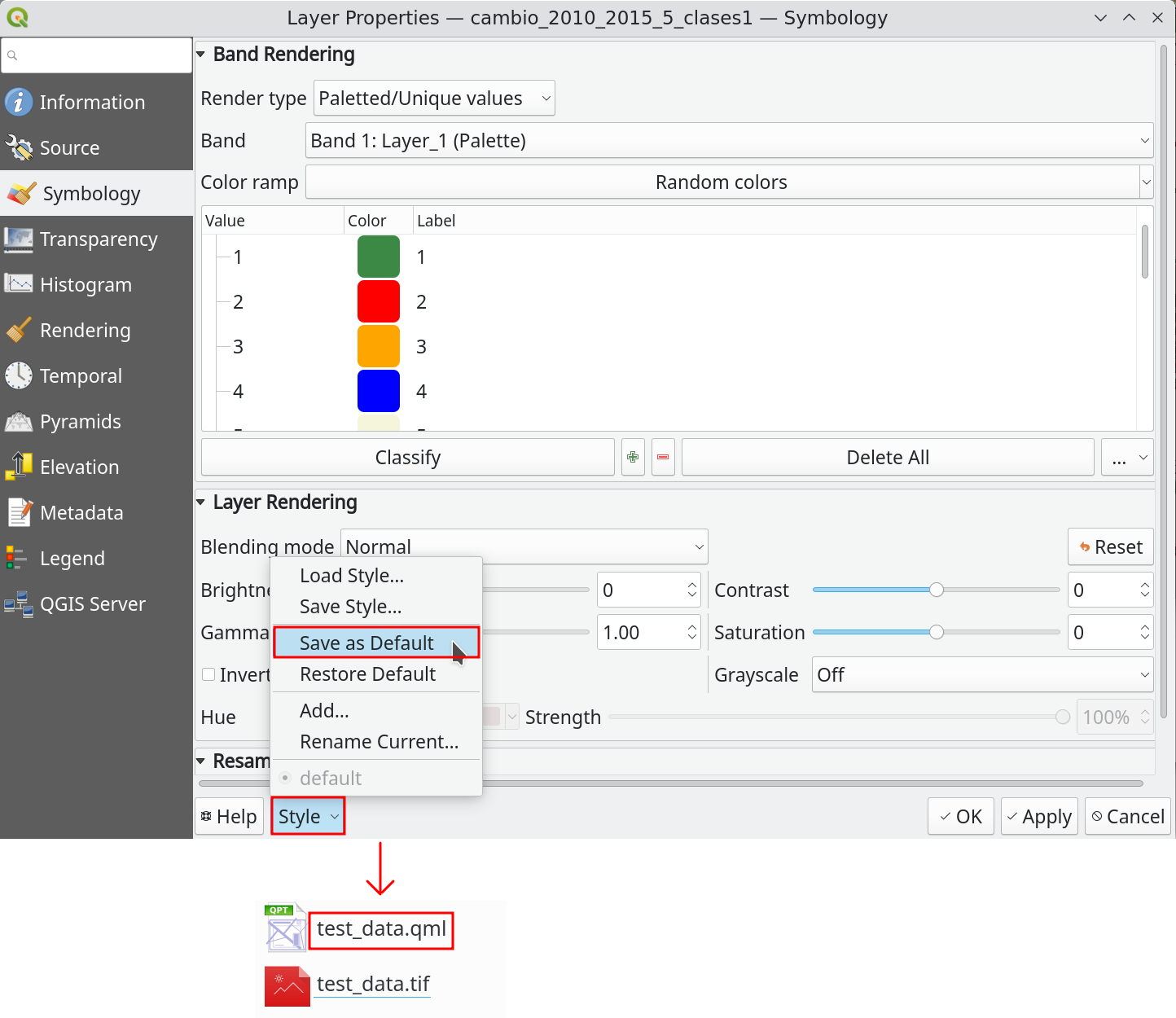
If the layer doesn’t have a color table as metadata inside the file, AcATaMa will prompt the user to apply an automatic pixel-value/color assignment, but this is temporary unless you save it.
Tip
We recommend setting and saving the pixel-value/color association for the thematic map before working with it. You can save the style using the QGIS XML style file or by saving the QGIS project.
Area of Interest#
Important
Clipping the thematic map to your area of interest is important for the sampling design and accuracy assessment process, because class areas change and some parts of AcATaMa depend on them.