
Modification Tracking System#
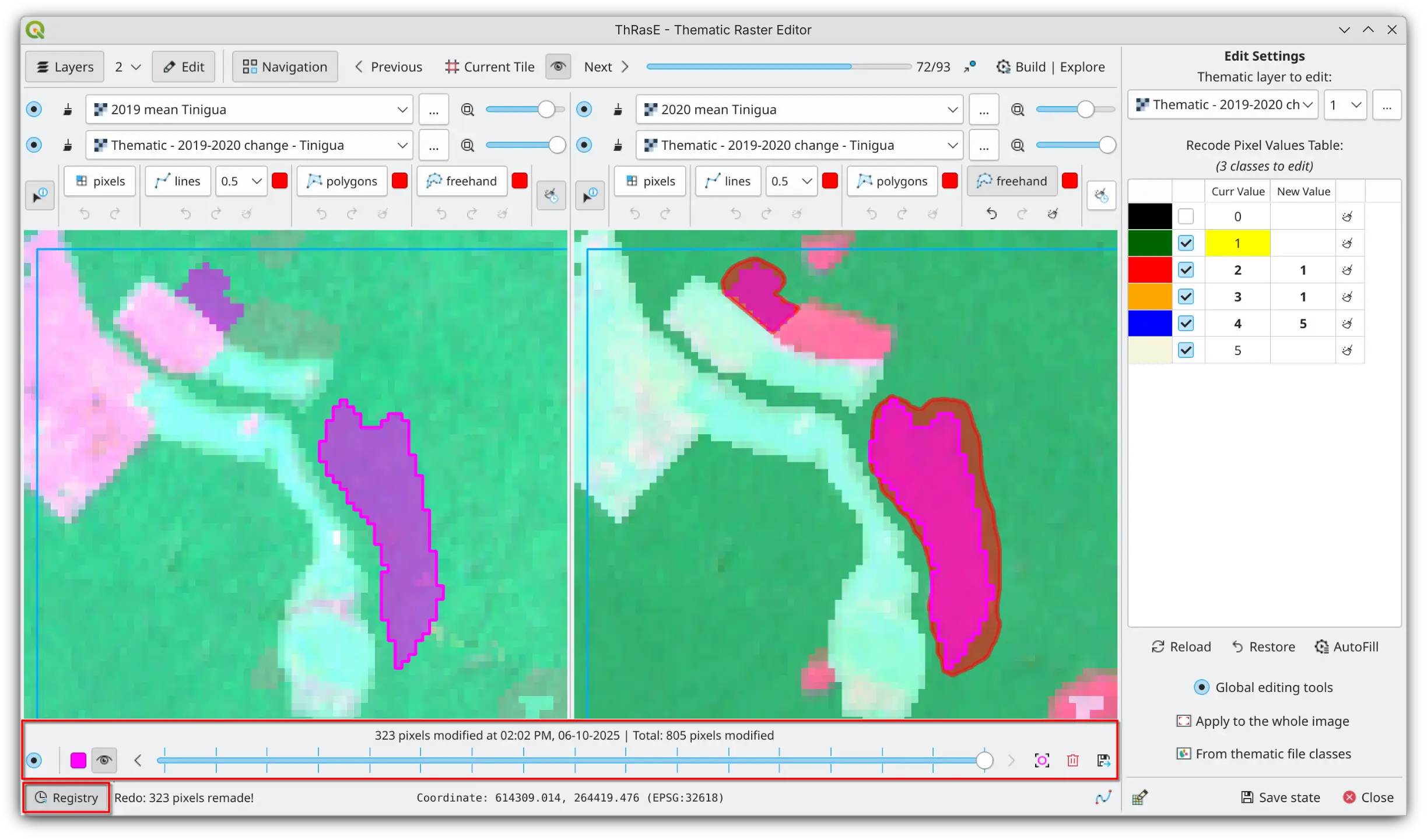
ThRasE includes a modification tracking system that automatically records all edits to your thematic map during editing sessions.
Complete edit history - every pixel change is logged with its original value and timestamp, creating a complete edit history with strong traceability for quality assurance
Visual modifications - modified areas can be highlighted directly on the canvas, providing immediate spatial feedback and helping you identify patterns or regions you may have missed during editing
Timeline navigation - use the registry slider to navigate through different stages of your editing process
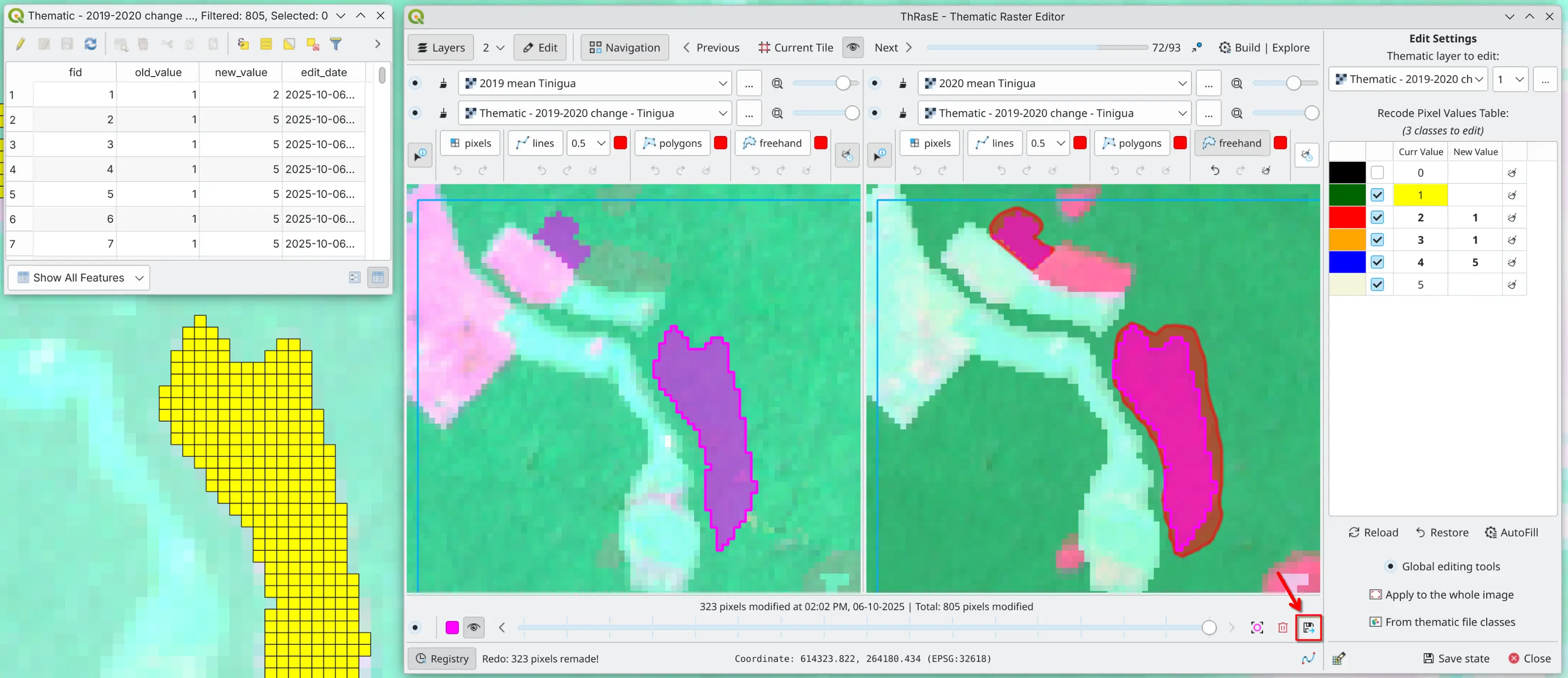
Export capabilities - save your registry to a vector file with all pixel modifications, including original and new pixel values, and timestamps
Note
This comprehensive record supports workflows where transparency and reproducibility are critical, allowing you to verify corrections, trace your decisions, and export change logs for documentation or review purposes.
Tip
Enable the highlight feature to visualize your editing progress across the map. This helps ensure you haven’t accidentally skipped areas or concentrated edits in one region while neglecting others.
Note
While the registry is enabled (by default), ThRasE will save the registry in the configuration file (YAML) and restore it when loaded. The registry can grow over time for large edits. If it makes ThRasE slow down, consider disabling the registry or using different editing sessions. You can restart the registry by clearing it.
The registry has no size limit: when a global edit is asked to record its changes, every changed pixel is added to it. A very large registry uses more memory, takes longer to display, and makes the configuration file larger and slower to save, so a global edit that records its changes counts the pixels it would change first, with one read of the raster and before anything is copied. If that number is very large, ThRasE asks for confirmation: continuing recodes the raster and records every changed pixel, and cancelling leaves the raster untouched. Even when the changes are not recorded, the entries already in the registry are updated to match the edited raster, so they never show outdated values.