
PCA4CD
PCA4CD
PCA4CD is a QGIS plugin that computes Principal Component Analysis (PCA) and can create a change detection layer using PCA's dimensionality reduction properties.
View the Project on GitHub
SMByC/PCA4CD
PCA for Change Detection
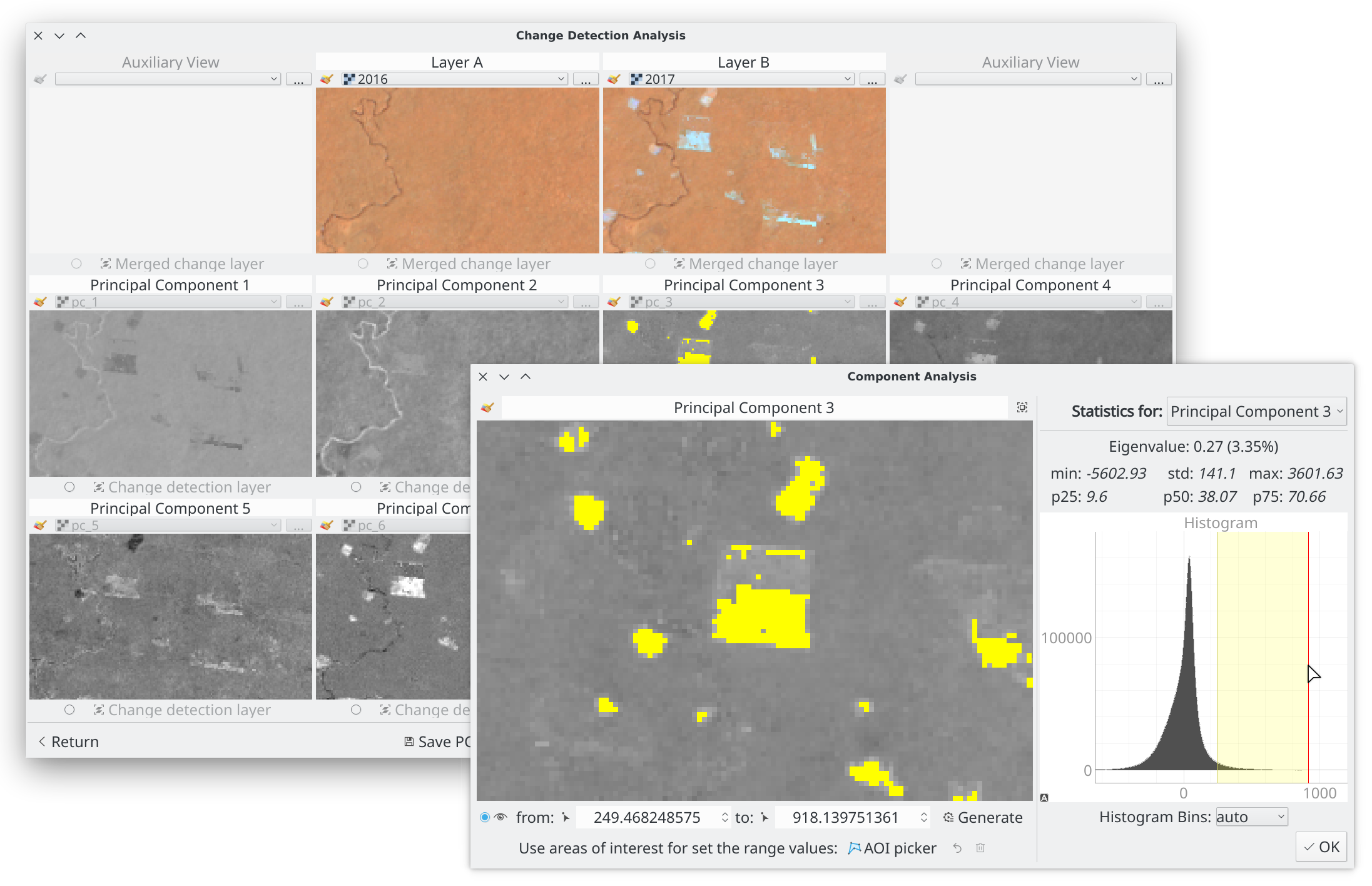
PCA4CD is a QGIS plugin that computes Principal Component Analysis (PCA) and builds change detection layers using PCA’s dimensionality reduction properties. The workflow has two stages:
- Generate (or load) the principal components of the input layers
- (Optional) Build a change detection layer from the components
The main window handles the first stage:
The second stage:
1a. Compute the principal components
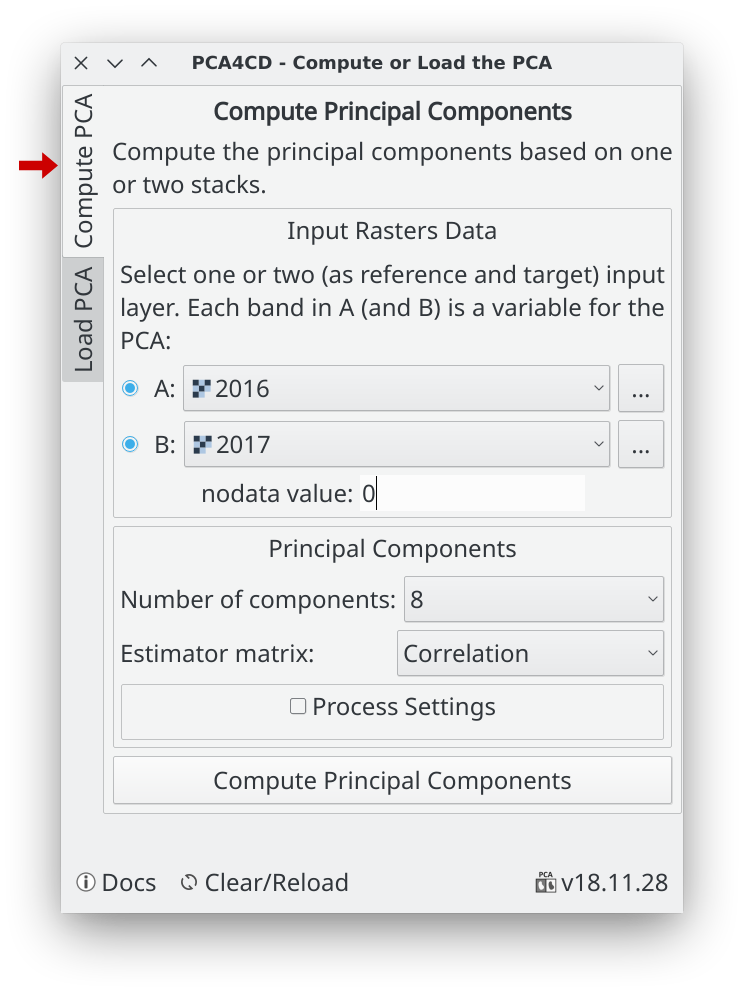
Input layers
Select one or two raster layers (each can be single or multi-band). Use a single layer (A) when all bands to analyze are already stacked. Use two layers (A + B) when comparing two time periods — place the reference image in A and the target in B.
Note: When using both A and B, both layers must share the same extent, pixel size, and projection.
Each band in A (and B, if enabled) is one variable for the PCA, so the maximum number of components equals the total band count across both layers.
Nodata value
Always set the nodata value if the image contains invalid pixels — incorrect or missing nodata will distort the PCA. The value is auto-detected from layer A’s file metadata when available.
Estimator matrix
Choose Correlation (default, recommended) or Covariance based on your data:
- Covariance is scale-dependent — use it when all variables share the same units and similar value ranges, as it preserves the original variance structure.
- Correlation normalizes each variable to unit variance — recommended when variables have different scales or units (e.g., temperature, pressure, multiple spectral bands). Correlation is insensitive to differences in dispersion, producing more stable factor structures (Tinsley & Tinsley, 1987).
Process settings
Computing PCA on large images (e.g., a full Landsat scene) is computationally intensive. PCA4CD runs the computation in parallel to reduce processing time and memory usage. If the process runs out of memory, reduce the thread count or block size in these settings.
1b. Load the principal components
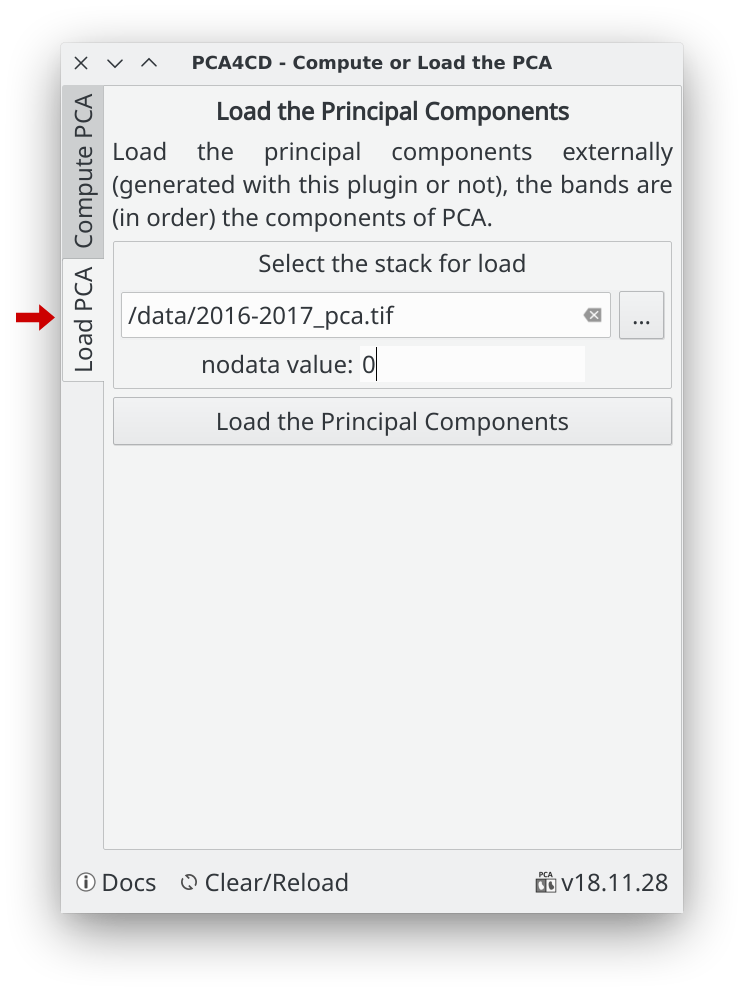
Use this section to load a pre-computed PCA stack — generated by this plugin or any other tool — and go directly to change detection. The bands must be ordered to match the PCA component sequence.
Set the nodata value if applicable; it is auto-detected from the file metadata when present.
2. Change Detection Analysis
After computing or loading the principal components, the change detection dialog opens:

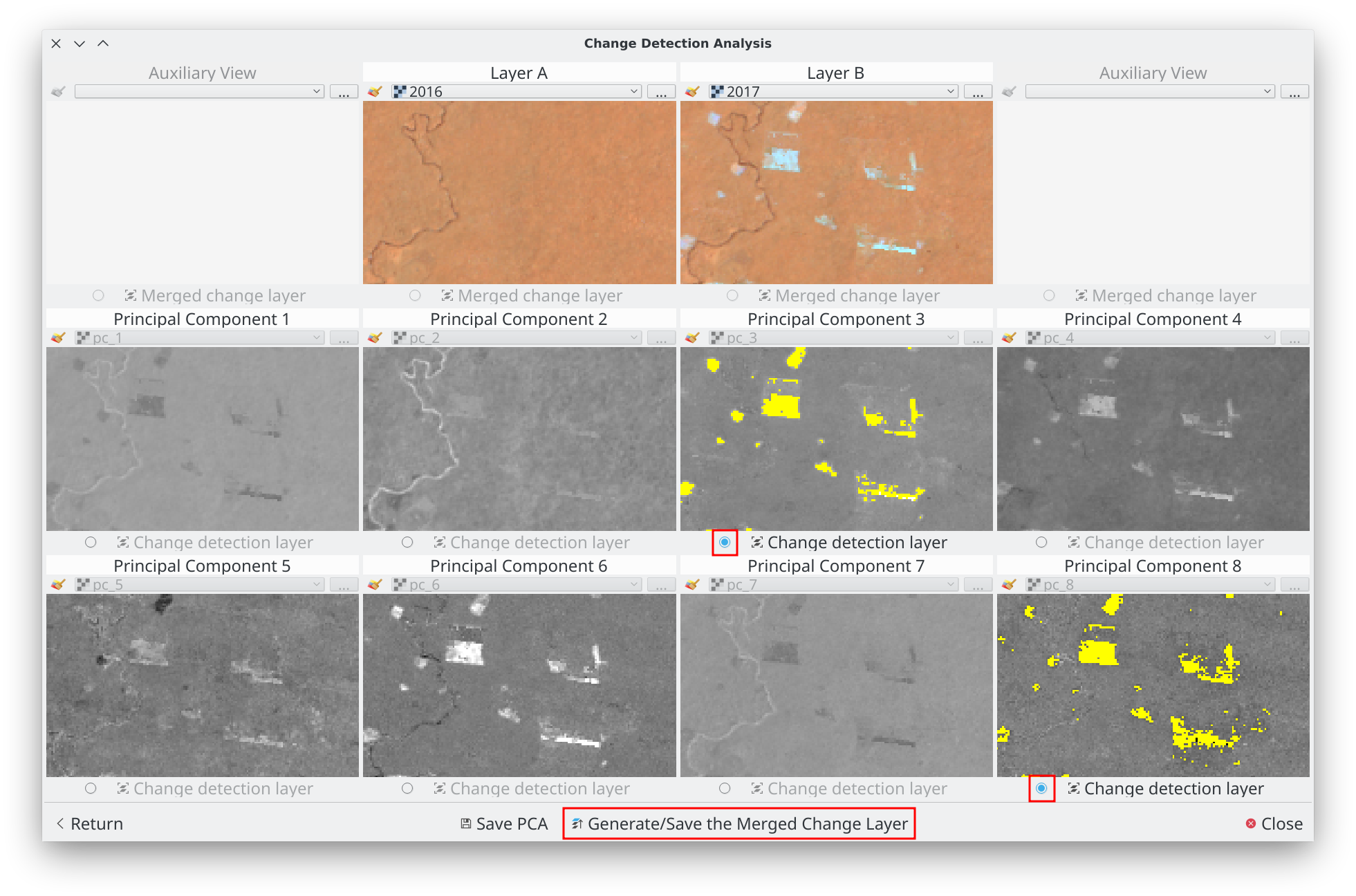
A. Principal row: The first row shows the original input layers (A and B) as a visual reference. The displayed layer can be changed freely.
B. Component rows: Each subsequent row corresponds to one principal component. The number of rows adjusts to the number of components.
C. Save PCA: (Optional) Saves all principal components as a single multi-band GeoTIFF stack.
D. Generate/Save the Merged Change Layer: Merges all activated component change layers into the final output (the last step — see below).
2a. Generate the change layer by component
Use the principal row as a reference to identify which components best capture the changes of interest.
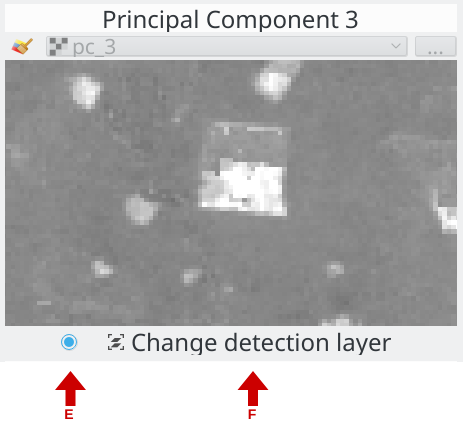
Example: components 3 and 8 were selected.
E. Enable/disable the change layer: Toggles visibility of the change layer for this component and enables button (F).
F. Change detection layer: Opens the Component Analysis dialog for this component.
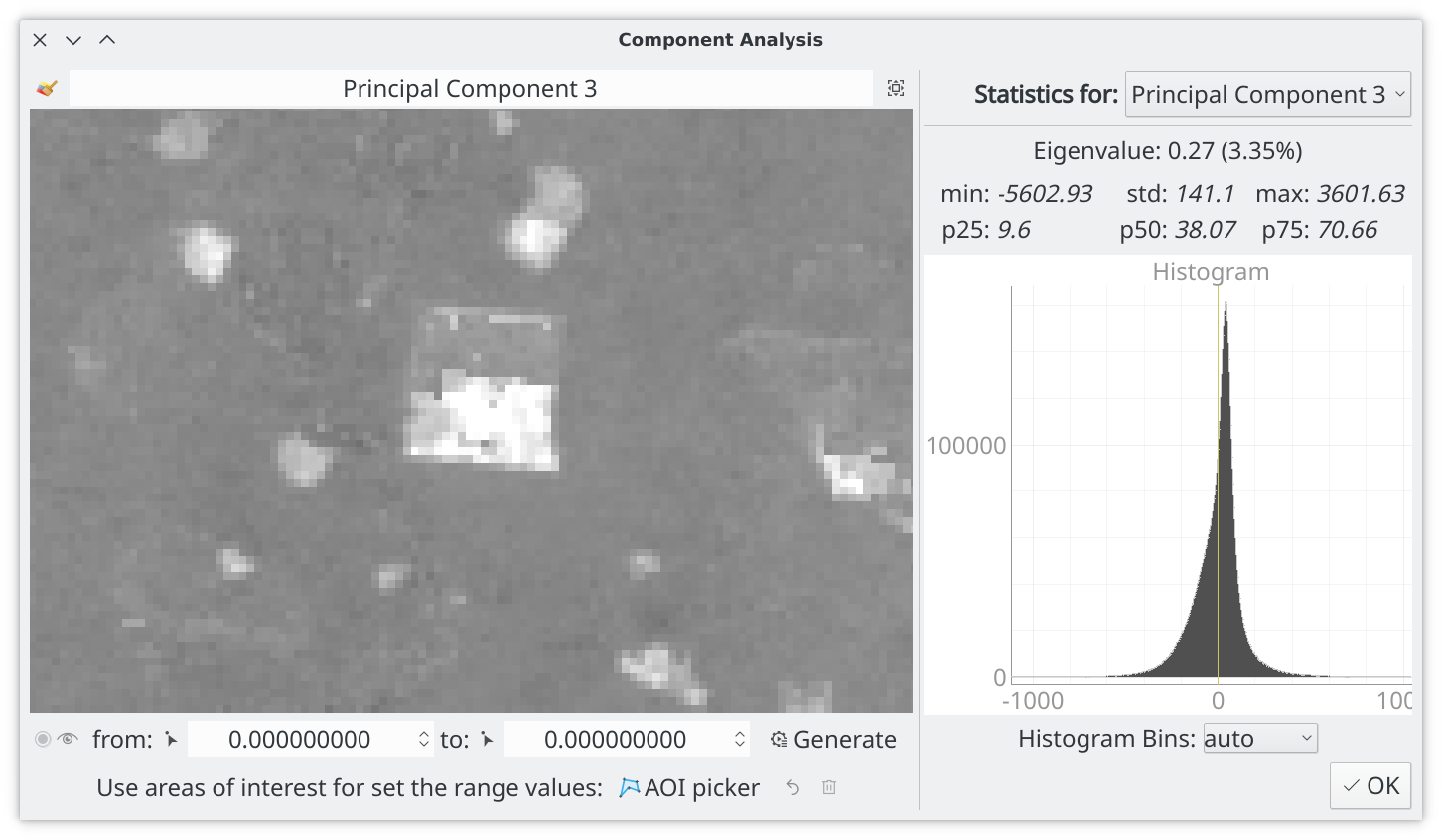
Define the change range (lower and upper bounds) using one of three methods:
-
Mouse picker: Use the from value and to value picker tools to click directly on the map. Confirm each value with the left mouse button, then click Generate.

-
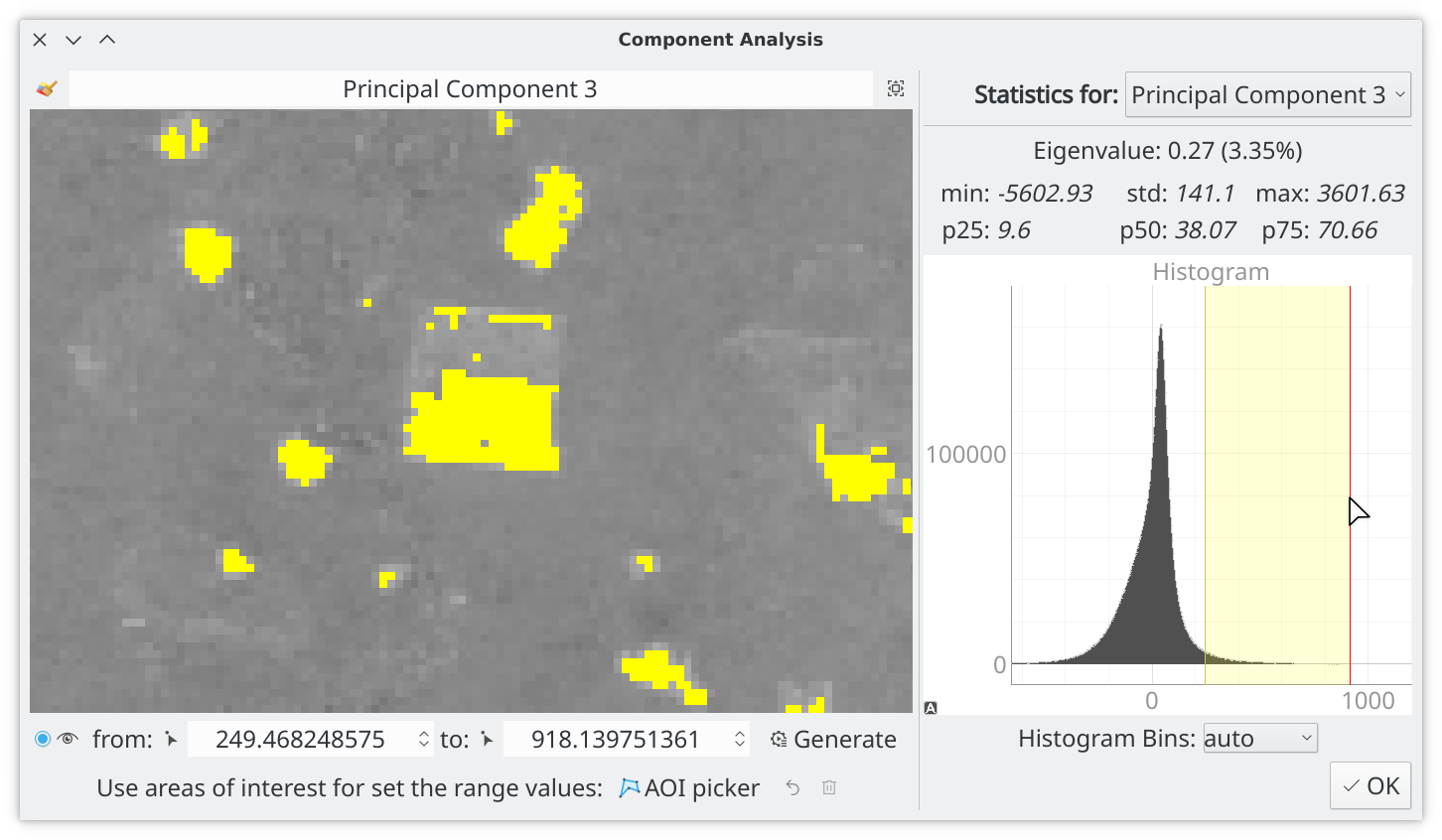
AOI picker: Draw one or more areas of interest over pixels representing the changes to capture. The plugin automatically derives the min/max range from the AOI pixels and updates the change layer after each new AOI.
Controls: left-click to add a vertex, Esc/Backspace to remove the last vertex, right-click to close the AOI.

-
Histogram: The interactive histogram shows the value distribution. Drag the yellow region to adjust the range — the numeric fields update in real time (and vice versa). Click Generate to apply.
2b. Generate the merged change layer
Once all desired component change layers are generated, enable each one with button (E), then click Generate/Save the Merged Change Layer.
The merge dialog opens:
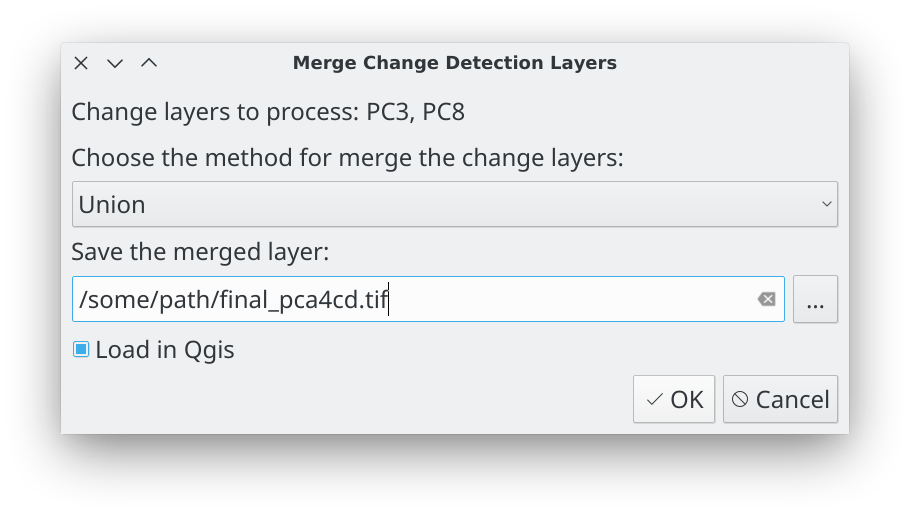
Select the merge method, choose the output file path, and click OK.
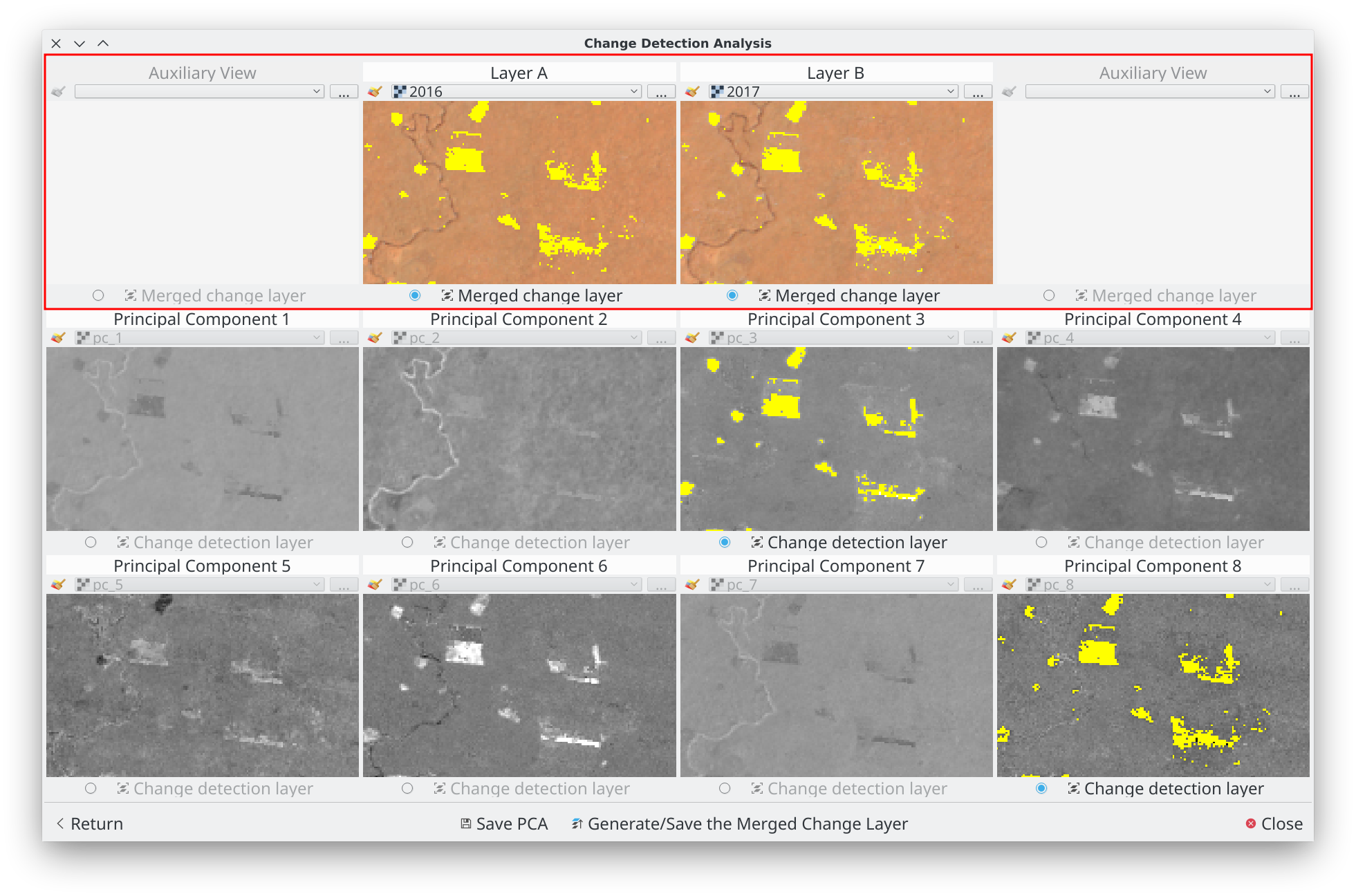
The merged layer is saved, displayed in all first-row views, and optionally loaded into QGIS. You can refine individual component layers and re-merge at any time.
When the result is satisfactory, close the plugin and continue working with the merged layer in QGIS.
About us
PCA4CD was developed and implemented by the Group of Forest and Carbon Monitoring System (SMByC), operated by the Institute of Hydrology, Meteorology and Environmental Studies (IDEAM) — Colombia.
Author and developer: Xavier C. Llano xavier.corredor.llano@gmail.com
Theoretical support, testing and product verification: SMByC-PDI group
License
PCA4CD is free/libre software licensed under the GNU General Public License.